X · @sardorml / 长帖
CaptureFlow:边录屏边上传,支持 Docker 自托管
Chrome 扩展已上架,macOS 签名版仍待发布;Docker 使用 SQLite 和本地磁盘,也可部署到 Cloudflare Workers、D1、R2。
中文改写
Sardor 在 11 月 6 日介绍了自己做的开源录屏工具 CaptureFlow:人在 Chrome 里录屏,结束后把链接发给别人;AI Agent 也可以通过 MCP 录制演示。它支持 Docker 自托管。原帖所链接的仓库 README 进一步写明,录制过程中就会上传,停止录制时分享链接已经准备好了。
能录什么,在哪里使用
CaptureFlow 可以录制浏览器标签页、窗口或整个屏幕,并加入摄像头悬浮画面和麦克风声音。观看者可以在视频里发表情、留言,录制者能看到谁看过。截图也可以加箭头、文字和模糊遮挡,再用同样的链接方式分享。
团队使用工作区管理内容,可设为公开、仅工作区成员可见或私密。托管服务按整个团队的存储量收费,不按席位收费;付费方案提供 100 GB、500 GB 或 1 TB 存储空间。作者说明,全部功能都包含在开源构建中,也可以部署到自己的 Cloudflare 账户,并把登录范围限制在公司内。
Chrome 扩展已经在 Chrome Web Store 上架。macOS 应用目前可以从源码构建,签名发行版仍是即将推出的状态;网页管理台和观看页支持现代浏览器。托管版可以先注册免费账户,再安装扩展,具体付费额度见价格页。
在原帖评论里,@progerallworld 提出的用途是让 Agent 重现 Bug、录下步骤,再附上视频。Sardor 回复说,这正是他加入 MCP 时考虑的场景。随后他又补充,也可以让 Agent 为 GitHub Pull Request 录制演示,并附到 PR 描述里;安装扩展后,审阅者可以观看演示来理解改动。这是作者对用途的说明,本轮没有连接 MCP 或试录视频。
用 Docker 部署
README 给出的 Docker 启动方式很短:先执行 cp .env.example .env,设置 APP_URL,再执行 docker compose up -d。
数据都保存在 ./data:SQLite 数据库、磁盘上的录屏文件,以及第一次启动时生成的密钥。这条部署路线不需要 Cloudflare 账户。生成转写可以使用兼容 OpenAI 接口的 Whisper 服务;Compose 也提供 --profile whisper 来运行一个这样的服务。完整说明在 Docker 部署文档。
部署到自己的 Cloudflare 账户
另一条路线使用 Cloudflare Workers、D1 和 R2。仓库提供了一键部署入口,也列出了手动步骤。
先运行 pnpm --filter @captureflow/web exec wrangler d1 create captureflow 创建数据库,再运行 pnpm --filter @captureflow/web exec wrangler r2 bucket create captureflow-recordings 创建存储桶。把数据库 ID 填入 apps/web/wrangler.jsonc 后,依次执行 pnpm --filter @captureflow/web db:apply:remote 和 pnpm --filter @captureflow/web cf:deploy。
DEPLOY.md 说明了密钥、登录服务、自定义域名,以及如何让扩展和桌面应用连接自己的实例。部署在自己的域名下会作为自托管实例运行;如果要做成公司内部工具,还需要按照配置文档设置 ALLOWED_EMAIL_DOMAINS。仓库也链接了逐步自托管教程和代配置服务。
本地开发和检查
开发环境需要 Node.js 24.13 或更新版本,以及 pnpm 10;README 提示用 corepack enable 启用。取得仓库并进入目录后,先执行 pnpm install。
完整的取代码命令是 git clone [email protected]:sardorml/captureflow.git,接着执行 cd captureflow。pnpm web 启动网页管理台和官网,地址为 http://localhost:3032;pnpm admin 启动实例管理后台,地址为 http://localhost:3034。pnpm extension 会在一个新的 Chrome 配置环境中启动浏览器扩展;macOS 录屏应用的开发命令是 pnpm --filter @captureflow/desktop dev。
仓库列出的检查命令分别是 pnpm typecheck、pnpm --filter @captureflow/web test、pnpm --filter @captureflow/extension test 和 pnpm format。这里保留的是作者提供的命令,没有把文档中的检查项写成本站已经跑过的结果。
仓库如何拆分
应用放在 apps/,共享包放在 packages/。依赖方向有明确约束:应用可以依赖共享包,共享包不能反向依赖应用,应用之间也不能互相依赖。
apps/web使用 Next.js 16,包含官网、博客、管理台、观看页和 API,通过 OpenNext 部署到 Cloudflare Workers。apps/admin是运行在独立主机名下的实例管理 Worker,与主应用绑定同一组 D1 和 R2。apps/mailer是产品邮件 Worker,通过 Resend 发送管理员编写的邮件活动,并处理退订。apps/extension是基于 WXT、MV3 的浏览器录屏扩展,包含面板、离屏采集和页面内控制。apps/desktop是基于 Electron 的 macOS 录屏应用;apps/docs是 VitePress 文档站。packages/engine是桌面端与扩展共用的采集引擎,包含 macOS 辅助程序、录制协议和封装处理,采用 MIT 许可。packages/admin为管理后台提供认证与数据逻辑;packages/mail负责邮件活动、渲染、退订令牌、Resend 投递和事务邮件。packages/quota管理存储额度、限制与工作区;packages/shared放各应用共享的类型和常量;packages/ui放主题令牌,以及没有对应 HeroUI 组件的 React 组件。
macOS 采集辅助程序以编译后的二进制文件形式存入仓库。修改 Swift 源码后,需要运行 packages/engine/scripts/build-native.sh 重新构建;加上 --universal 可以同时支持 arm64 和 x86_64。
文档、贡献和许可
项目的官网、文档、自托管总览、博客、FAQ、安全说明、发行记录和 Discord 均由 README 提供入口。
作者欢迎 Bug 报告、想法和 Pull Request,可以到仓库 Issues或功能建议页提交。贡献前需要阅读 CONVENTIONS.md。发现安全问题应按照安全页说明私下报告,不要发到公开 Issue。
项目采用 AGPL-3.0-only,例外是可复用的采集引擎 packages/engine,它采用 MIT 许可。桌面应用与浏览器扩展的组合构建,整体仍适用 AGPL-3.0-only。
本文完整改写上述作者帖文、已取得的作者回复及固定版本 README;README 最近修改于 11 月 4 日,不能把 11 月 6 日的介绍帖当成当天发布新版本。文档文字按上游 AGPL-3.0-only 许可使用,许可全文随站点提供;本站中文不是官方文档。
原文附带媒体
来源附带的产品概览配图;未核验与中文具体段落的一一对应关系,集中保留于文末。
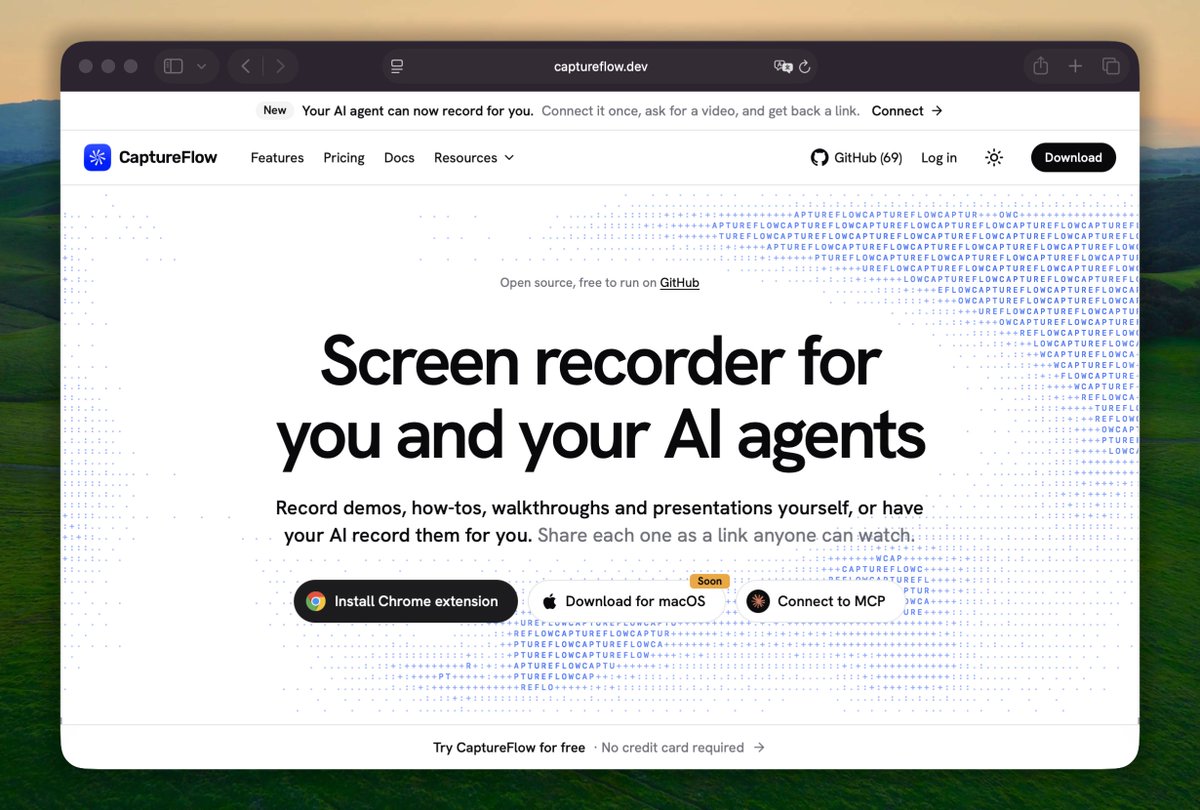
媒体未能载入,请通过下方原文链接查看。
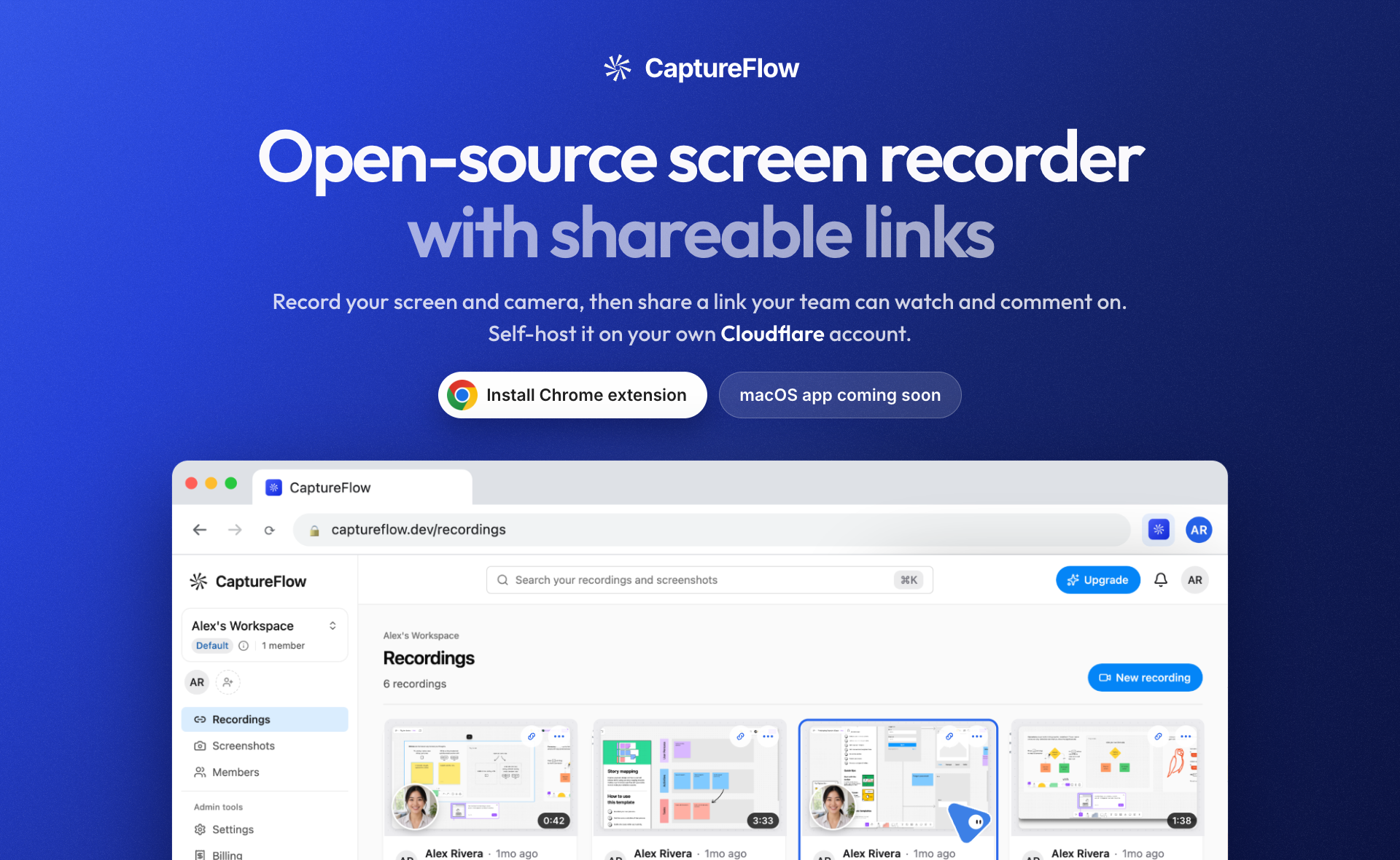
媒体未能载入,请通过下方原文链接查看。
原文
CaptureFlow — author announcement, replies and complete README
媒体未能载入,请通过下方原文链接查看。
媒体未能载入,请通过下方原文链接查看。
Author announcement — Sardor (@sardorml)
Source: https://x.com/sardorml/status/2118616954085024133
I built CaptureFlow, an open-source screen recorder for you and your AI agents.
Record your screen in Chrome and get a link you can share with anyone. Or let your agent record the demo over #MCP.
Self-host it with Docker.
https://t.co/GwIkaJEH9C
#opensource #buildinpublic https://t.co/dlOESaA0wJ
Public reply context — @progerallworld (not the author)
Source: https://x.com/progerallworld/status/2118618493977313326
@sardorml This could be useful for bug reports too: agent reproduces the issue, records the steps, attaches the clip. Much easier to review than “I clicked around and it broke” 😅
Author reply — Sardor (@sardorml)
Source: https://x.com/sardorml/status/2118619339041755560
@progerallworld Yes, definitely. That's the use case i had in mind when i added the MCP.
Author reply — Sardor (@sardorml)
Source: https://x.com/sardorml/status/2118621775856865775
@progerallworld You can also ask it record a demo for your github pull request and it will attach it to the pr description. With extension installed reviewers can watch the demo to get a better idea of the changes.
Linked README — complete text, fixed source snapshot
Source: https://github.com/sardorml/captureflow/blob/c5792345e7d5e47084c5e829b3f11c98a432c859/README.md

CaptureFlow
Open-source screen recorder with instant share links, self-hostable on your own Cloudflare account.




Website · Docs · Blog · Report Bug · Request Feature
✨ Features
- 🔗 The share link is ready the moment you stop: the upload runs while you record.
- 🎥 Record a tab, a window or your whole screen, with camera bubble and mic.
- 💬 Viewers react with emoji and comment right on the video, and you see who watched.
- 🖼 Annotated screenshots with arrows, text and blur, shared by the same kind of link.
- 👥 Workspaces for your team, with public, workspace-only or private visibility.
- 💸 Priced by storage for the whole team, never per seat.
- ☁️ Self-host on your own Cloudflare account, with sign-in limited to your company.
- 🔓 Every feature ships in the open-source build.
🖥 Where it runs
| Surface | Status |
|---|---|
| Chrome extension | Available on the Chrome Web Store |
| macOS app | Build from source; signed release coming soon |
| Web dashboard and viewers | Any modern browser |
📦 Get started
- Hosted: create a free account and install the Chrome extension. Paid plans add 100 GB, 500 GB or 1 TB for the whole team; see pricing.
- Self-hosted:
docker compose upon your own server, or run it on your own Cloudflare account (Workers, D1 and R2). Follow the step-by-step guide, or let us set it up for you.
☁️ Self-hosting
Docker
cp .env.example .env    # set APP_URL
docker compose up -d
Everything lives in ./data: a SQLite database, the recordings on disk, and secrets generated on first start. You don't need a Cloudflare account. Transcripts can use any OpenAI-compatible Whisper server, including one compose runs for you with --profile whisper. See the Docker guide.
Cloudflare
Or manually:
pnpm --filter @captureflow/web exec wrangler d1 create captureflow
pnpm --filter @captureflow/web exec wrangler r2 bucket create captureflow-recordings
# paste the database id into apps/web/wrangler.jsonc, then:
pnpm --filter @captureflow/web db:apply:remote
pnpm --filter @captureflow/web cf:deploy
DEPLOY.md is the full runbook: secrets, sign-in providers, custom domains, and pointing the extension and desktop app at your own instance. A deployment on your own domain runs as a self-hosted instance; to make it a private company tool, set ALLOWED_EMAIL_DOMAINS as described in the configuration docs.
⌨️ Development
Requires Node.js 24.13 or newer and pnpm 10 (corepack enable).
git clone [email protected]:sardorml/captureflow.git
cd captureflow
pnpm install
pnpm web                                  # dashboard and landing on http://localhost:3032
pnpm admin                                # instance admin on http://localhost:3034
pnpm extension                            # browser extension, in a fresh Chrome profile
pnpm --filter @captureflow/desktop dev    # macOS recorder
Checks:
pnpm typecheck
pnpm --filter @captureflow/web test
pnpm --filter @captureflow/extension test
pnpm format
Monorepo layout
apps/
  web/         Next.js 16 landing, blog, dashboard, viewers and API → Cloudflare Workers (OpenNext)
  admin/       Instance-admin Worker on its own host, bound to the same D1 and R2
  mailer/      Product-email Worker: sends admin-written campaigns via Resend, handles unsubscribe
  extension/   Browser recorder (WXT, MV3): panel, offscreen capture, in-page controls
  desktop/     Electron screen recorder (macOS)
  docs/        VitePress documentation site
packages/
  engine/      Capture engine shared by desktop and extension: macOS sidecars, record protocol, mux (MIT)
  admin/       Admin auth and data logic behind apps/admin
  mail/        Campaigns, email rendering, unsubscribe tokens, Resend delivery, transactional sends
  quota/       Storage quota, limits and workspace logic
  shared/      Types and constants shared across the apps
  ui/          Theme tokens and the React components with no HeroUI equivalent
Apps depend on packages, never the reverse, and never on each other.
The macOS capture sidecars are committed as built binaries. After editing the Swift sources, rebuild them with packages/engine/scripts/build-native.sh (add --universal for arm64 + x86_64).
🔗 Links
🤝 Contributing 
Bug reports, ideas and pull requests are all welcome. Open an issue, suggest a feature, or send a pull request. Read CONVENTIONS.md first: it's the standard every change follows.
Found a security issue? Please report it privately as described on the security page, not in a public issue.
📄 License
AGPL-3.0-only, with one exception: the reusable capture engine in packages/engine is MIT-licensed. Combined builds (the desktop app and the browser extension) are AGPL-3.0-only as a whole.